 ECode
产品Product / 客户端Desktop client
员工每天打开的
那一个 AgentThe one agent your team opens every day
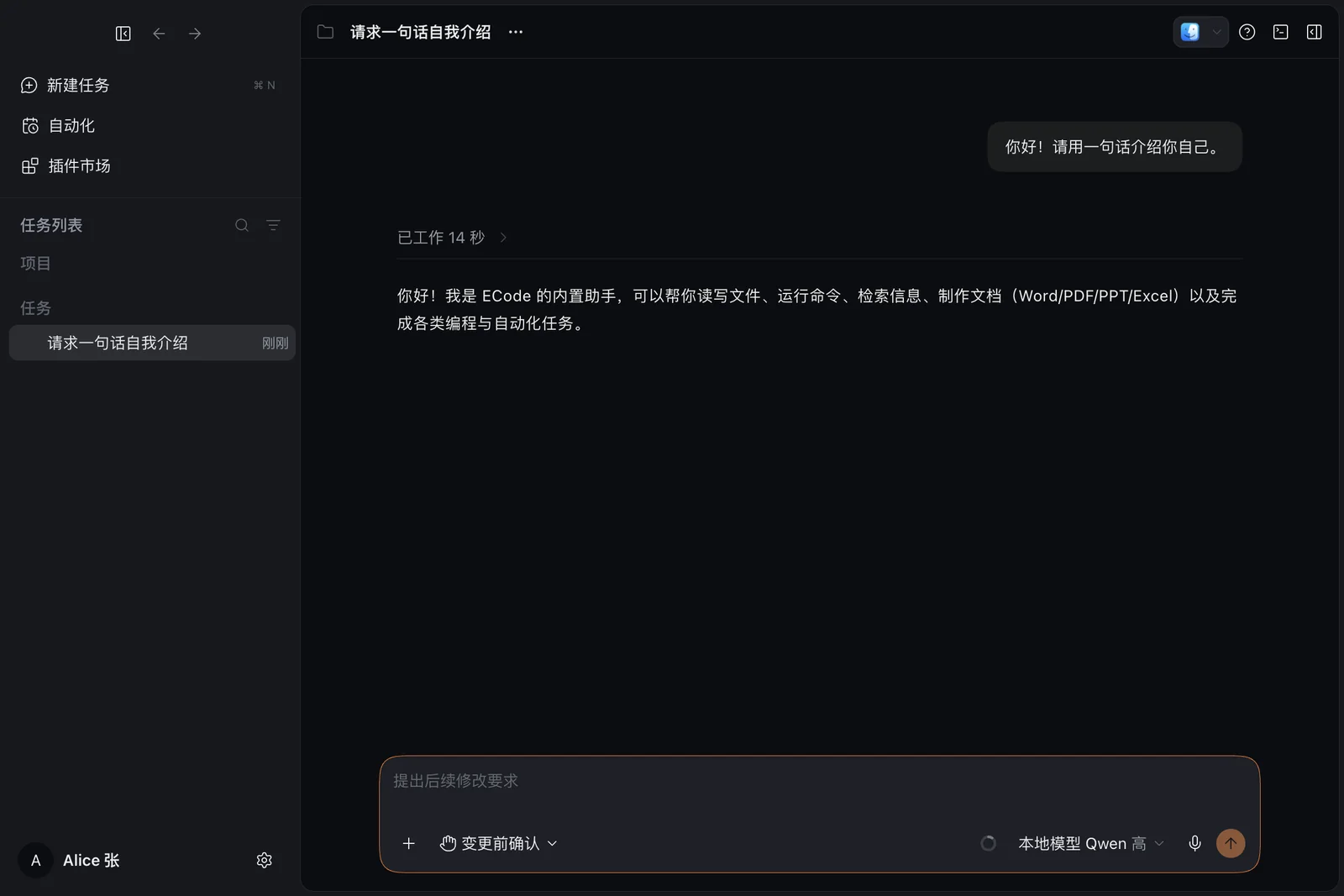
ECode 客户端运行在员工的电脑上。它在项目里读写代码、运行命令,也能制作文档、表格、演示和 PDF。模型来自企业自己的网关。
The ECode client runs on each employee's computer. It reads and writes code in their projects, runs commands, and makes documents, spreadsheets, slides and PDFs, all on models served by your own gateway.
它能做什么What it does
-
读写代码Reads and writes code
在员工选择的项目里阅读、修改和新建文件。
Reads, edits and creates files in the project the employee picks.
-
运行命令Runs commands
在本机执行命令,完成构建、测试等任务。
Runs commands on the local machine for builds, tests and more.
-
办公文档Office documents
内置官方插件,制作 Word、Excel、PowerPoint 和 PDF,并在客户端里预览。
Built-in official plugins make Word, Excel, PowerPoint and PDF files, with previews in the client.
-
浏览器自动化Browser automation
打开、导航、点击、输入、截图,验证网页和本地开发目标。
Opens, navigates, clicks, types and captures screenshots to check web pages and local dev targets.
-
设计与可视化Design and visuals
做界面、网页、原型和 HTML 演示稿,在对话里生成图表和讲解。
Designs UI, web pages, prototypes and HTML decks, and draws charts and explainers in the conversation.
-
一个模型列表One model picker
本地模型和云端模型在同一个列表里切换。
Switch between local and cloud models in a single list.
一个客户端,连接任意企业One client for every enterprise
所有企业使用同一个安装包,安装包里没有任何企业的地址。员工第一次打开客户端时,自己连接到企业。点击「连接」之前,客户端不保存任何设置。
Every enterprise uses the same installer, and the installer holds no enterprise's address. The first time employees open the client, they connect it to their enterprise. Nothing is saved until they click Connect.
-
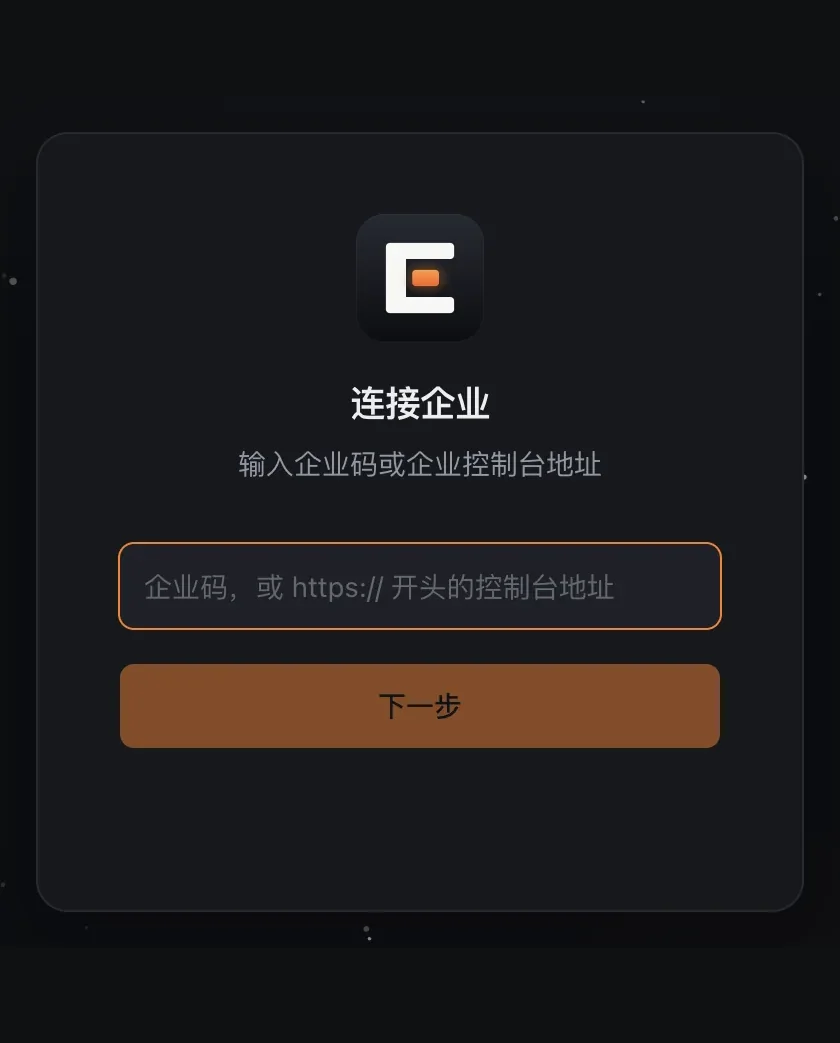
输入企业码Enter the enterprise code
输入管理员提供的企业码,也可以直接输入控制台地址。
Type the code your admin gave you, or the Console URL itself.
-
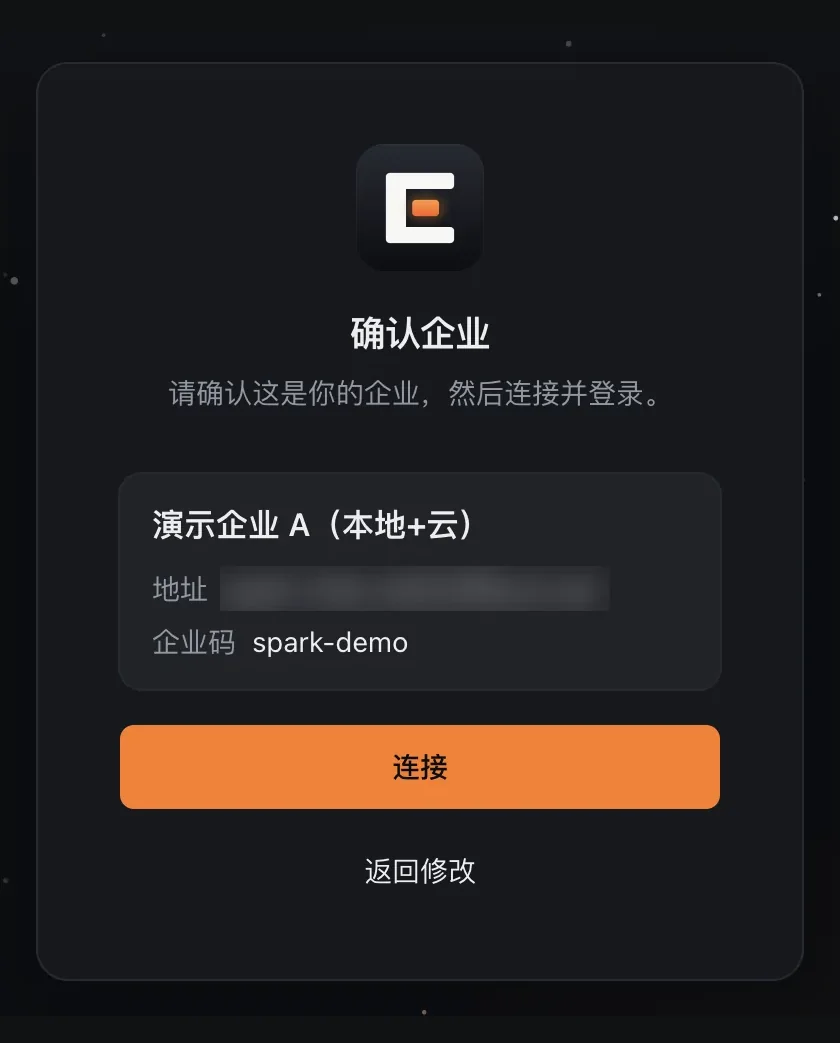
确认企业Confirm the enterprise
客户端向控制台请求企业信息。核对企业名称和地址,再点击连接。
The client asks the Console who it is. Check the enterprise name and host, then click Connect.
-
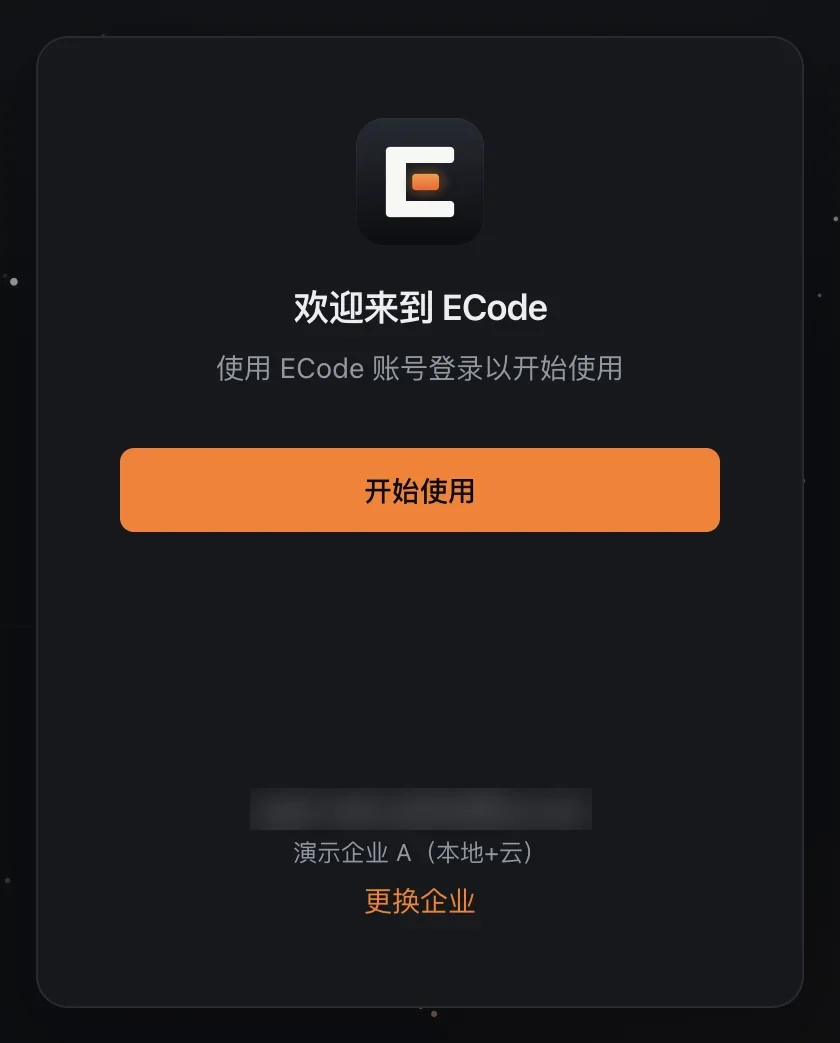
企业账号登录Sign in with your enterprise account
登录卡片显示企业名称,点击开始使用即可登录。
The sign-in card shows your enterprise name. Click Get started to sign in.
| 连接方式How to connect | 怎么用How it works |
|---|---|
| 企业码Enterprise code | 例如 my-company 这样的短代码。客户端在 ECode 企业目录里查到控制台地址。A short code such as my-company. The client looks up the Console address in the ECode enterprise directory. |
| 控制台地址Console URL | 以 https 开头。客户端直接访问控制台,不查企业目录,没有互联网的内网部署也能用。Starts with https. The client goes straight to the Console without the directory, so it works on networks with no internet access. |
| 一键连接链接One-click link | 控制台下载页上的「在客户端中连接本企业」按钮,或管理员发来的 ecode://connect 链接。链接只预填连接页面,员工仍要确认。The connect button on the Console download page, or an ecode://connect link from your admin. The link only fills in the connect page; the employee still confirms. |
用企业账号登录Sign in with the account you already have
员工点击开始使用后,浏览器打开控制台的企业登录页,再跳到企业自己的身份源。登录完成后,浏览器把员工带回客户端。
When an employee clicks Get started, the browser opens the Console's sign-in page, which hands off to your identity provider. Once signed in, the browser brings them back to the client.
-
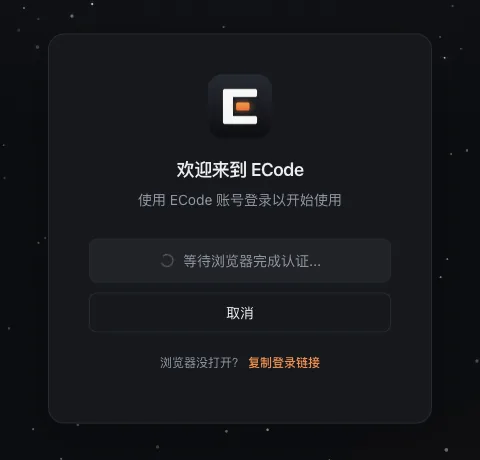
客户端等待浏览器The client waits for the browser
浏览器没打开时,可以复制登录链接。
If the browser does not open, copy the sign-in link.
-
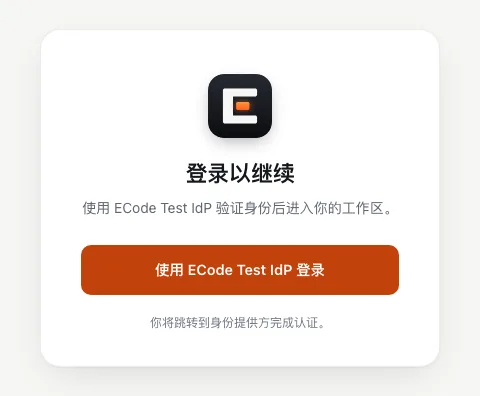
企业身份源登录Your identity provider
通用 OIDC 或 Microsoft Entra ID。
Generic OIDC or Microsoft Entra ID.
-
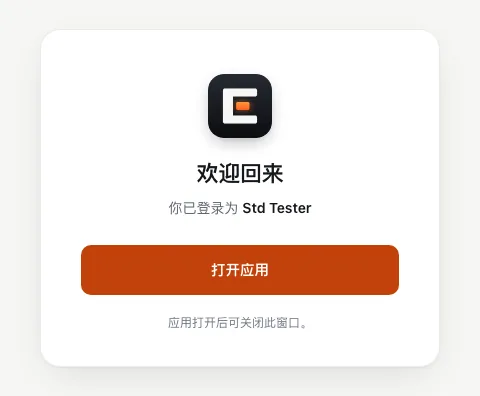
回到客户端Back to the client
点击打开应用,开始工作。重启客户端后保持登录。
Click Open the app and start working. The client stays signed in across restarts.
切换企业Switch enterprise
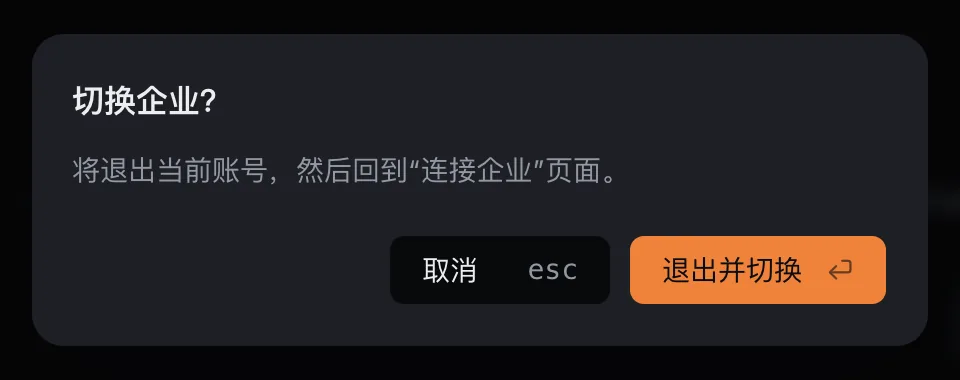
左下角账户菜单里有「切换企业」。员工确认后,客户端退出登录,清除企业连接和模型列表,然后回到连接企业页面。
Switch enterprise lives in the account menu at the bottom left. After the employee confirms, the client signs out, clears the enterprise connection and model list, and returns to the connect page.
- 一个登录会话只属于一个控制台。连接另一个控制台前,客户端先退出登录。
- 已登录时收到一键连接链接,客户端先询问是否切换。点取消,当前企业和登录都不变。
- 正常重启时,客户端保持同一个企业和登录状态。
- A sign-in session belongs to one Console. The client signs out before it connects to another.
- If a one-click link arrives while signed in, the client asks first. Cancel keeps the current enterprise and session.
- A normal restart keeps the same enterprise and session.
系统要求与数据位置Requirements and where data lives
| macOS | Apple Silicon(arm64),.dmg 安装包Apple Silicon (arm64), .dmg installer |
|---|---|
| Windows | x64,.exe 安装包,普通用户即可安装x64, .exe installer; no admin rights needed |
| 本地数据Local data | 放在 ~/.ecode,项目里的配置目录是 .ecode/。Kept in ~/.ecode; project settings live in .ecode/. |
| 系统账户OS accounts | 每名员工使用自己的系统账户。Give each employee their own OS user account. |
| 更新Updates | 1.0 关闭了自动更新。管理员在控制台上传新版本,员工重新下载安装。Auto-update is off in 1.0. Admins upload a new version to the Console and employees reinstall. |